
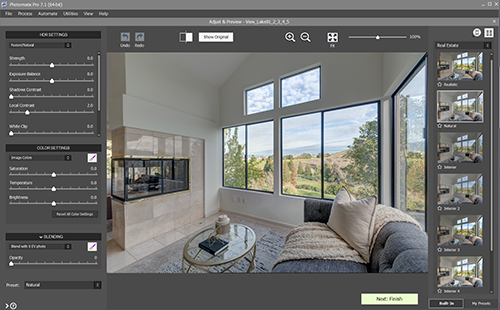
Turn any high contrast scene into a professional-looking HDR image.
+Integration with Lightroom with a free plugin
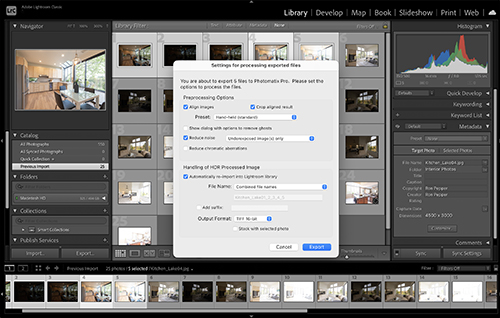
If you have Lightroom Classic, the plugin lets you use Photomatix Pro without leaving Lightroom. Select a set of bracketed photos in Lightroom, then invoke the plugin to create the HDR image in Photomatix Pro and reimport it.
A plugin for Capture One is available as well.
"Photomatix gives you the power to take control of your processing, with ease, efficiency and consistency."
"The three keys to any successful business are efficiency, consistency, and reliability - and this cannot be more true than in real estate photography.
While there are different products out there, nothing has been able to produce the same consistent, beautiful photos as can be made using Photomatix.
Our workflow, using Photomatix, allows us to process 100 photos in less than an hour with complete color and lighting accuracy. No need to pay foreign editors, you can do it all yourself with ease, saving you money and headache.
I have multiple real estate photography business in multiple cities and taught hundreds of real estate photographers from all over the world, and none of this could have been possible without Photomatix. "

Rob Moroto
Real estate photography instructor & business owner
Try for free, no sign-up required.
The trial adds a watermark to the final image. A license is a US$99 one-time purchase.
|
Windows |
macOS |
||
| Download link: | |||
| Version: |
v7.1.4 |
v7.1.4 |
|
| Compatibility: |
Windows 10 & Windows 11 |
macOS 10.11 to 26 Tahoe Apple silicon chip & Intel processor |
The HDR process starts with taking multiple exposures.
Check the Exposure Bracketing setup page to learn how to set Automatic Exposure Bracketing (AEB) on various camera models.
How long does the trial last?
You can try Photomatix Pro for as long as you want. The trial doesn't expire.
When you use Photomatix Pro in trial mode, a watermark is added to the created image. If you purchase a Photomatix Pro license, you will receive a license key that registers the software and disables the watermark.
Does using Photomatix Pro require a subscription?
No. Photomatix Pro isn't offered as a subscription.
A license of Photomatix Pro 7 is a perpetual license. You buy the license once and own it forever.
Will I receive free updates?
Yes. A Photomatix Pro 7 license allows you to get all updates made to Photomatix Pro 7 for free. It also allows you to upgrade to Photomatix Pro 8 for free when version 8 is released.
You can upgrade to a new version or sub-version by downloading the latest release of Photomatix Pro 7 from the download links above.
Can I view before-and-after samples?
You can compare the HDR image with the original image at normal exposure, as well as the HDR image with different presets applied on the real estate preset comparison page.
Does Photomatix Pro support RAW files?
Photomatix Pro supports RAW files from Canon, Nikon, Sony, Olympus, Panasonic, Pentax, Fuji and Sigma, as well as Digital Negative (DNG).
While Photomatix Pro is regularly updated to support RAW file formats from newer cameras, it usually takes several months for the update to become available. If your camera model is relatively recent, the current version of Photomatix might not yet support RAW files taken with it.
You can view a list of the main camera models that Photomatix supports here.
In addition to images in camera RAW file formats, Photomatix Pro loads and merges to HDR images in the JPEG, TIFF (8-bit & 16-bit) and DNG (8-bit & 16-bit) file formats. It also loads 32-bit HDR images in the OpenEXR, Radiance, DNG 32-bit and TIFF 32-bit file formats.
How many images can I merge together?
You can load and merge as many bracketed photos as you need with Photomatix Pro.
For interior scenes with a high contrast between the dark and bright areas, you will need to take at least 5 bracketed images with a 2 EV spacing between them (9 images with a 1EV spacing) for good results.
Does Photomatix Pro use AI?
No. Photomatix Pro uses only the image information in the files you loaded to produce an HDR image. There is no risk of elements or colors not present in your images getting introduced in the process.
Are there sample bracketed exposures I can use to try your software?
Yes. Check the bracketed photo samples page if you would like to test Photomatix Pro before you've taken any bracketed photos.
Where can I download older versions?
Windows
Mac
Is there an update log for Photomatix Pro?
You can view the Photomatix Pro version history on the following pages depending on the OS platform:
I have some questions about Photomatix Pro, how can I get in touch with your support team?
Please email us at support@hdrsoft.com or use our contact form.
We are happy to help, and you will always get a reply from a real human, no AI involved. People from the Photomatix Support Team are themselves photographers and have more than a decade of experience supporting Photomatix users.
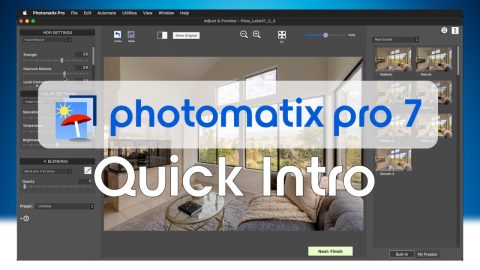
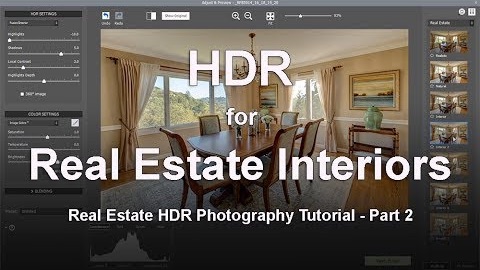
For more tutorials and tips, check our Learning Center.