Download   Purchase   Examples   Support   Resources   About Us


Photomatix

Increase the dynamic range of your photographs

Deutsch  Français
 
 
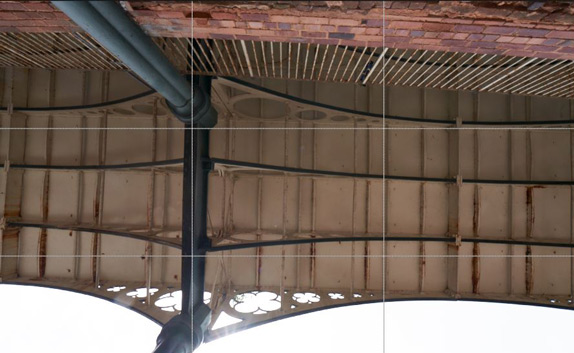
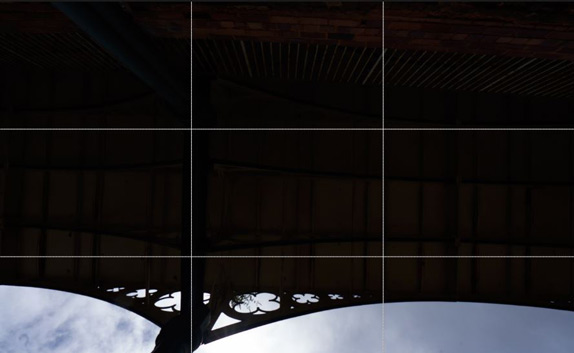
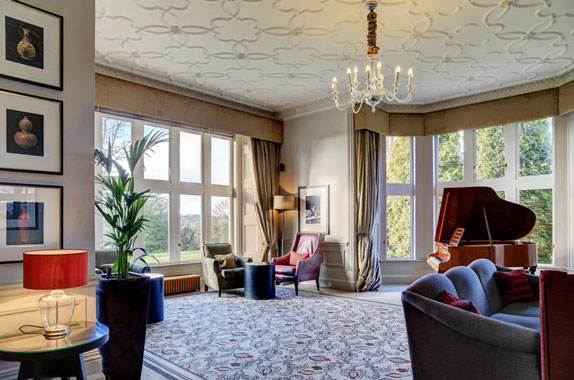
over-exposed
average exposure
under-exposed
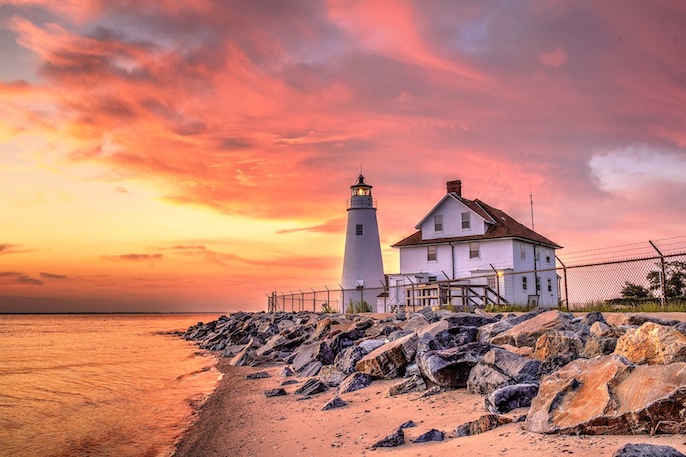
tone mapped HDR image
HDR image (created from the 3 left photos) + Tone Mapping
 
 
Announcements
 
27-Mar-08: Release Photomatix Pro version 3.0.
 
9-Aug-07: Release Tone Mapping Plug-In version 1.2 compatible with Photoshop CS3.
 
12-Jul-07: We are looking for a PhD graduate interested in a postdoc on Removal of Ghosting Artifacts in High Dynamic Range Images.
 
30-Oct-06: Breeze Systems DSLR Remote Pro 1.3 calls Photomatix Pro to automatically create an HDR image from up to 15 auto bracketed shots.
 
5-Oct-06:HDRI for Photographers

HDR and Tone Mapping explained in a clear and practical way by Uwe Steinmueller.

 
3-Jul-06: HDR Landscape Photography Tutorial

Very comprehensive article covering all aspects of High Dynamic Range photography. Published in the July edition of NatureScapes.Net.

 
Poster at SIGGRAPH 2005

The poster "High Dynamic Range Images From Digital Cameras Raw Data" was displayed in Hall A throughout the conference week. You can download a pdf version of the poster in A4 format and the one-page abstract.

 
14-July-05: HDR Imaging Library

Library of HDR Imaging functions. The SDK includes a Dynamic Link Library and related API documentation for functions such as HDR image creation and merging of differently exposed photos. Intended for software developers and for internal use only. [Read more]

 
03-May-05: Comparison with Photoshop CS2

We did a few tests to compare the HDR Conversion of Photoshop CS2 with our Tone Mapping tool.


Subscribe to our announcements
 
 
If you have ever photographed a high contrast scene, you know that even the best exposure will typically have blown out highlights and flat shadows. Photomatix offers two ways to solve this problem:
Exposure Blending: Merge differently exposed photographs into one image with increased dynamic range.
Tone Mapping: Reveal highlight and shadow details in an HDR image created from multiple exposures. The tone mapped image is ready for printing while showing the complete dynamic range captured.
See examples of how it works
View more examples in the User Gallery
Get started with a quick tutorial
Download a free trial version
FAQ on HDR imaging for photography
 
Photomatix Pro is a stand-alone program that runs on Mac OS X and Windows 98/Me/2000/XP/Vista. The Tone Mapping tool is also available separately as a plugin compatible with Photoshop CS2.
One license for Photomatix Pro costs US$99 or €75. One license for the Tone Mapping Plug-In costs US$69 or €55.
The benefits of using Photomatix Pro include:
Saving on lighting equipment
  Given that most digital cameras can auto-bracket at different exposures, you do not need to acquire expensive lighting equipment -and carry it- when shooting high contrast scenes. Just enable Auto Exposure Bracketing, and let Photomatix merge your photos into an image with extended dynamic range.
 
Saving time in post-processing
  Photomatix Pro is designed for productivity -- automatic blending, unlimited stacking, easy comparison of results and batch processing save hours of masking and layers work in image editing programs.
 
Taking advantage of your 32-bit images
  Have you created a 32-bit HDR image in Photoshop CS2 and could not get a good HDR conversion? The Photomatix Tone Mapping tool may help. See how it compares to Photoshop CS2 HDR conversion.
 
Great pictures on cloudy days
  Shadowless hazy sunlight or an overcast sky usually results in dull-looking photographs. The tone mapping tool of Photomatix Pro can turn them into great-looking images. Check this image as example.
 
Noise reduction
  The Exposure Blending functions of Photomatix Pro merge any number of bracketed photos -- this process is equivalent to image stacking, which tends to reduce noise in the resulting image.
 
Well exposed panoramas
  A panoramic scene is almost always a high contrast scene -- you can't limit your view to areas with the same brightness when shooting a 360° panorama. By taking views under several exposures and processing them in Photomatix Pro, you can create a panorama that will show details in both the dark and bright areas of the scene.


  Note: the name of our dynamic range increase software is Photomatix not Photomatrix.
 
 
  Software  |  Download  |  Purchase  |  Examples  |  Support  |  Resources  |  About Us